
The Admin Portal - Governance software for wrestling organizations
Awesome Wrestling Events was about running a single tournament. The Admin Portal is about everything above the tournament — the organization that sanctions it. It's live at admin.wrestling.management.
What it is
The Admin Portal is the governance side of the Wrestling Management platform. It's where an organization — a state high school association, a youth club, a college conference — defines how its season works: the rules, the divisions, the weight safety limits, and who is allowed to run events under its name.
Who it's for
State association staff, club presidents, and league commissioners. The portal adapts to your organization type, so a state association manages Schools while a youth club manages Clubs, and rule defaults adjust for youth, high school, and college levels. Team admins get their own scoped view with just their roster, calendar, and events.
What it does
Everything starts with your rules. There are twelve categories to configure: season dates, contact days, competition limits, match caps, weight safety, coaching certifications, athlete certifications, eligibility, divisions, match rules, sanctioning policy, and start-of-season team tasks.
From there the portal covers the rest of the job:
- A divisions catalog per season — styles, age groups, genders, and weight classes that event directors pick from when they create an event
- A member directory of your schools or clubs, with rosters and season-task progress
- Athlete management with an OPC calculator that certifies a wrestler's minimum weight from alpha weight and body fat percentage
- An event sanctioning queue where tournament requests land for you to approve or deny
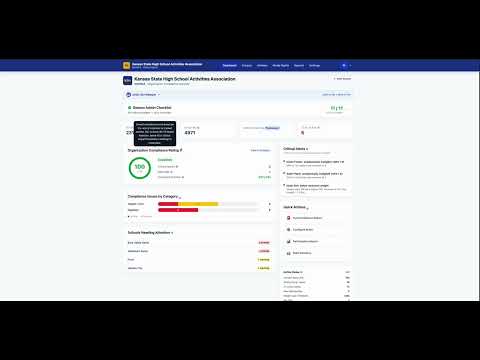
- A compliance dashboard with a 0-100 rating and critical alerts for things like contact-day and match-cap violations
- Reports for your board — participation, competitive balance, rankings, regional strength, and more
- Media rights, where you set your revenue share on broadcast deals for your sanctioned events
How it works
When you create your organization, a checklist walks you through setup: season dates, season rules, divisions, match rules, event administrators, and certifications. Once that's done, the platform enforces your rules for you. Tournament directors request a sanction from the event management app and it shows up in your queue. Approve it and it carries your sanction — its divisions came from your catalog when the director created it, and your match rules follow the event all the way down to the scoring app at the mat.
Why it matters
Most organizations run this out of spreadsheets, email threads, and a rulebook PDF that nobody opens mid-season. Weight safety and eligibility rules exist to protect athletes, but a rule only works if something is actually checking it. The Admin Portal checks it automatically and tells you the moment a team is out of compliance.
Demo
I recorded a playlist of eleven short walkthroughs — each about a minute long — covering the whole portal:
- Intro
- Checklist
- Season and Competition Rules
- Weight Safety, Coaching, & Eligibility Rules
- Building Your Divisions
- Managing Member Schools
- Managing Athletes & Rosters
- Reviewing & Approving Event Sanctions
- Compliance Dashboard & Critical Alerts
- Reports for your Board
- Bonus: Media Rights & Multi Org Management
If you run a wrestling organization and want to try it, head to admin.wrestling.management and create your organization — the checklist will take it from there.